
Archive
Archiving takes a position out of your working list without deleting it.
Why use it
Roles come and go. When you have finished hiring for something, archiving it clears it off your Positions list so you are only looking at what is live.
Nothing is deleted. The position keeps its questions, its settings and every candidate who went through it — scores, transcripts and recordings included. That matters if a hiring decision is ever questioned months later: you can still show what was asked and how it was assessed.
Restoring one
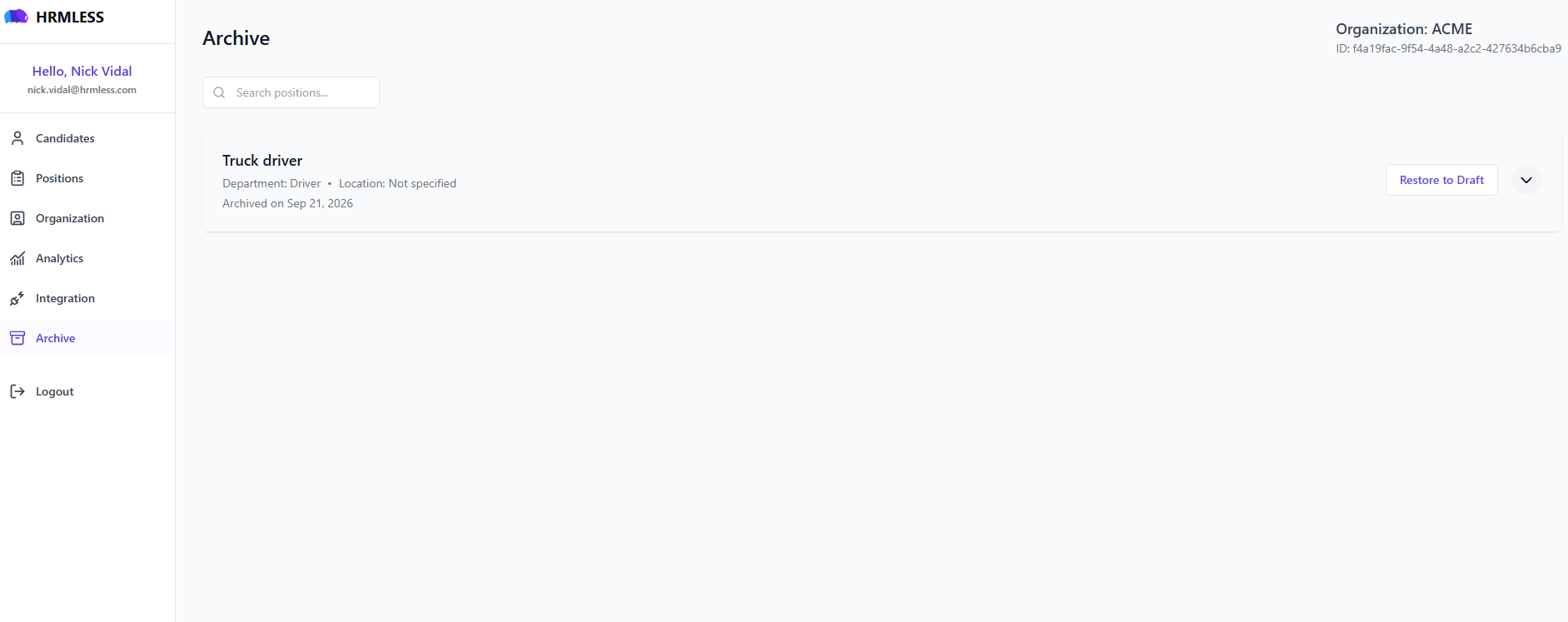
Each archived position shows its department, location and the date it was archived, with a Restore to Draft button.
Restoring brings it back as a Draft rather than straight to Active. That is deliberate — it gives you a chance to check the questions and settings still make sense before anybody is invited again. Set it to Active when you are ready.
Use the arrow on the right of a row to see more about a position before you restore it.
Hiring for the same role again
Restore the old position rather than creating a new one. You keep the questions you already refined, and the candidates from last time stay attached, so you can see who applied before.
Common questions
Do candidates know a position was archived? No. Nothing is sent to anybody.
What happens to candidates on an archived position? They stay attached to it, with their scores and transcripts intact. Archiving is about tidying your own view, not about closing anybody's application.
Can I archive a candidate rather than a position? The Archive page is for positions. To take an individual candidate out of your way, reject them — that records an actual decision rather than just hiding them.
Is there any way to delete a position permanently? Archiving is the safe option and the one to reach for. Deleting a candidate outright is available from the ⋮ menu on their row, but it removes the record, so use it for genuine mistakes rather than housekeeping.