
Candidate Statuses
Your candidate list has six tabs. This is what each one means.
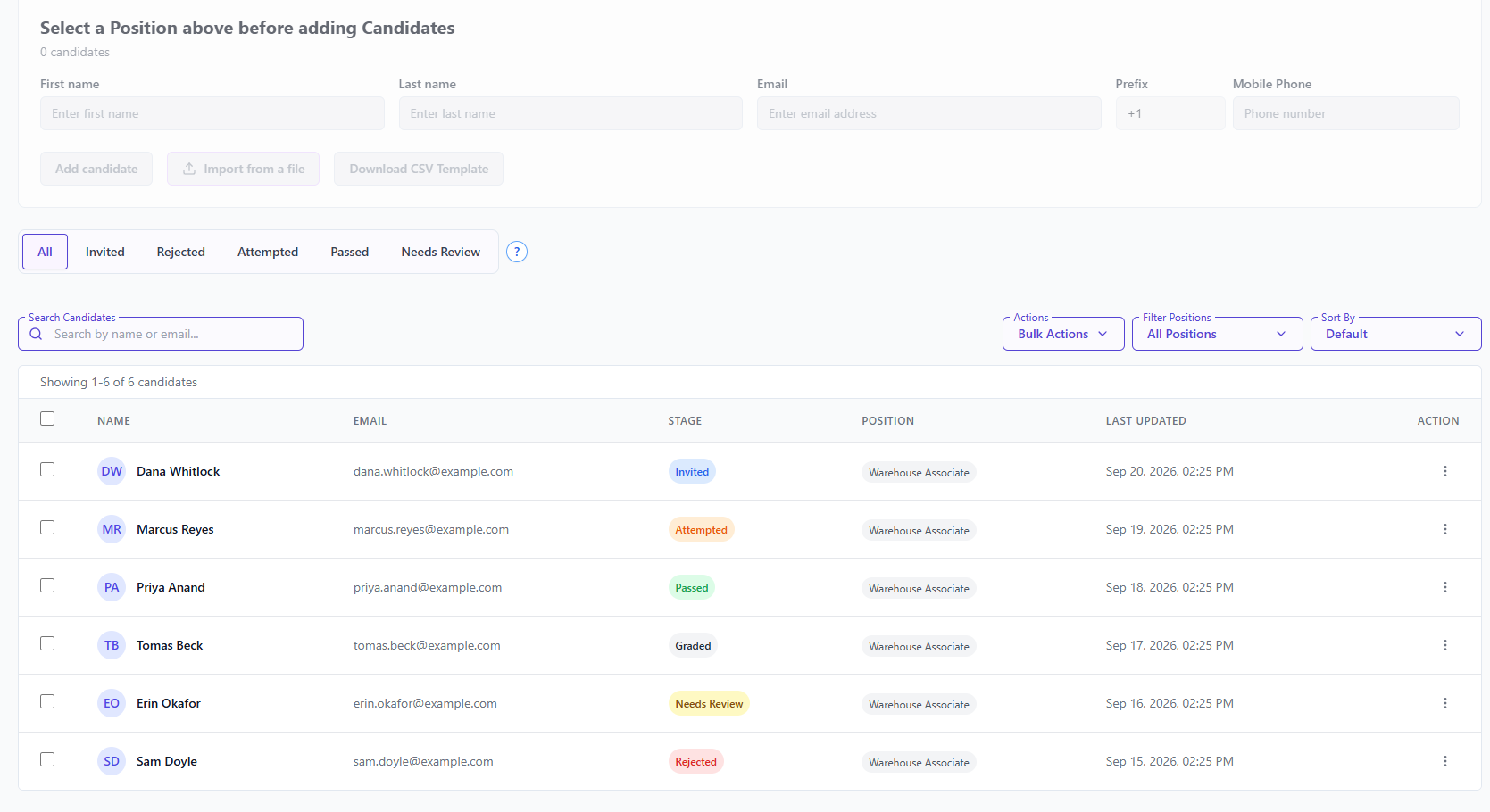
| Tab | Who is in it |
|---|---|
| All | Everyone |
| Invited | Their invitation has gone out. They have not started. |
| Attempted | They started the interview and did not finish. |
| Passed | They finished and scored at or above your minimum. |
| Needs Review | Something needs a person to look at it. |
| Rejected | Somebody on your team decided not to go ahead. |
The list column is headed Stage.
One stage has no tab of its own: Not Invited
Somebody you have just added by hand shows as Not Invited — nothing has been sent to them yet. They appear under All but not under Invited, which is the usual reason a candidate seems to be missing.
Invitations are sent by a scheduled run once a day, so a candidate added in the afternoon sits at Not Invited until the next morning. To contact them now, open the ⋮ menu on their row and choose Resend Invites.
Needs Review is the important one
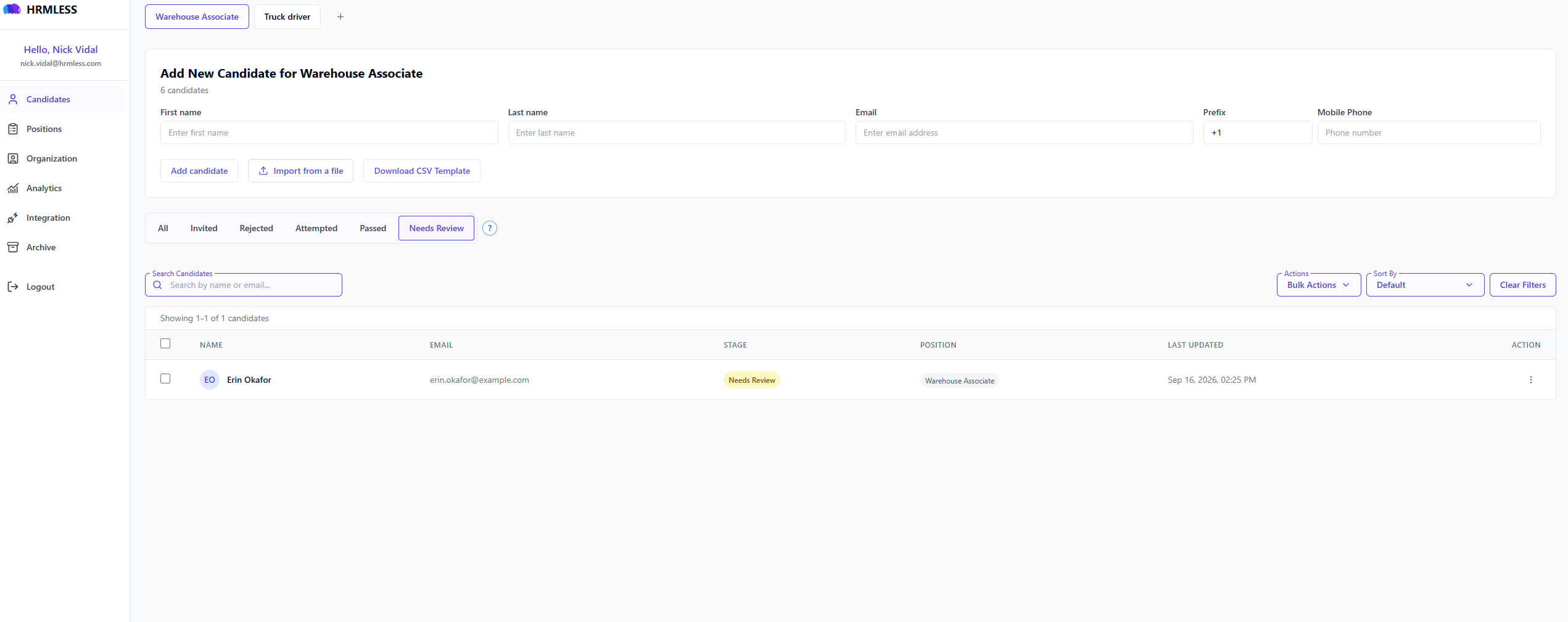
This is where HRMLESS puts anyone it will not decide about on its own:
- they failed a knockout question
- or something else about the result needs a human eye
They show with a yellow marker on your list.
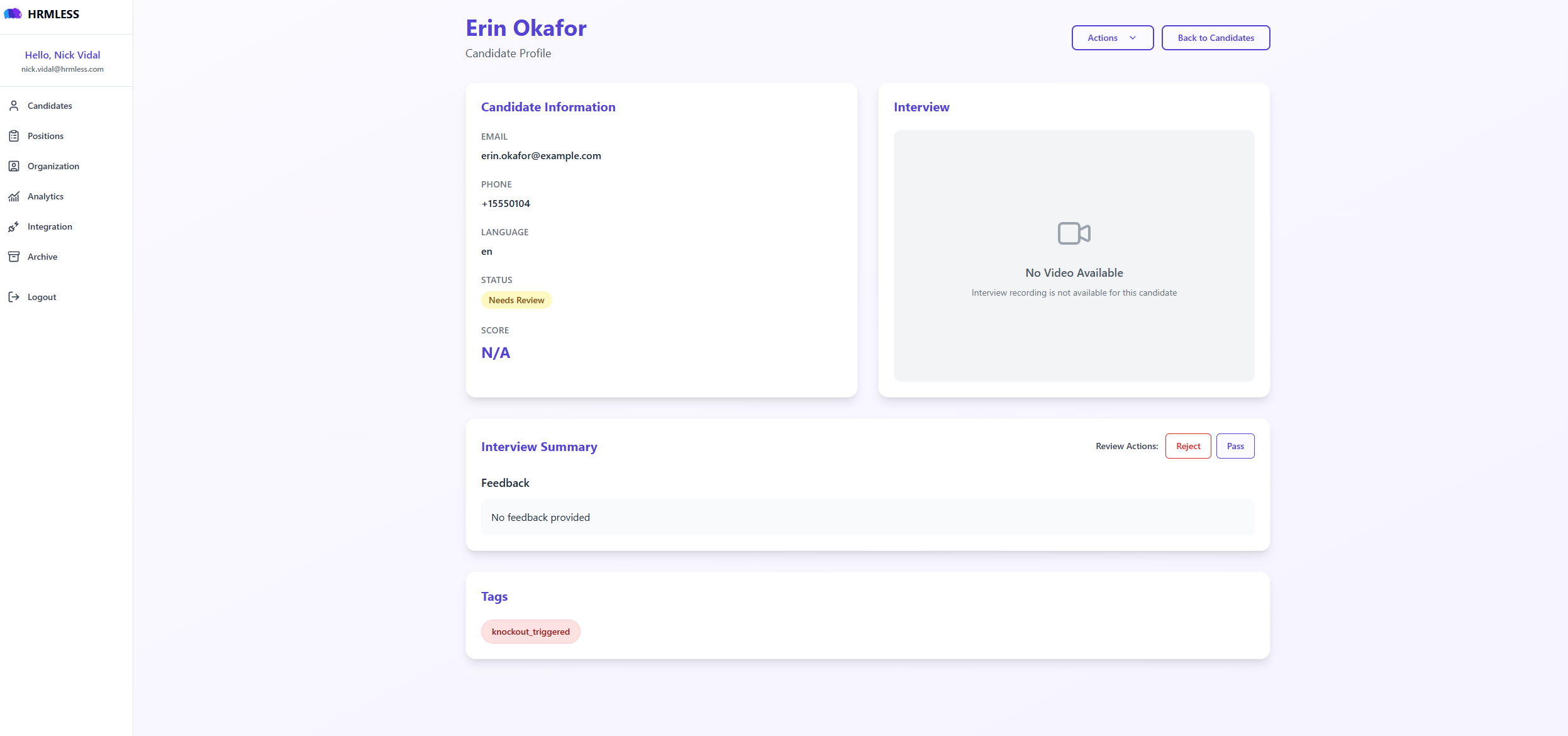
Nothing in Needs Review has been rejected. It is a queue for you, not a verdict. Clearing it is the main thing to do each day.
Open the candidate and you get Review Actions next to the Interview Summary, with two buttons:
- Pass — move them on. They join your Passed list.
- Reject — you are not going ahead. They join Rejected.
Read what they actually said before choosing. Somebody flagged on a lifting requirement might be a month from meeting it; somebody flagged on a licence might already have applied for one. That judgement is the reason the queue exists rather than the score deciding on its own.
A Tags panel lower down shows why they were flagged — knockout_triggered
means they failed a knockout question.
Attempted is worth chasing
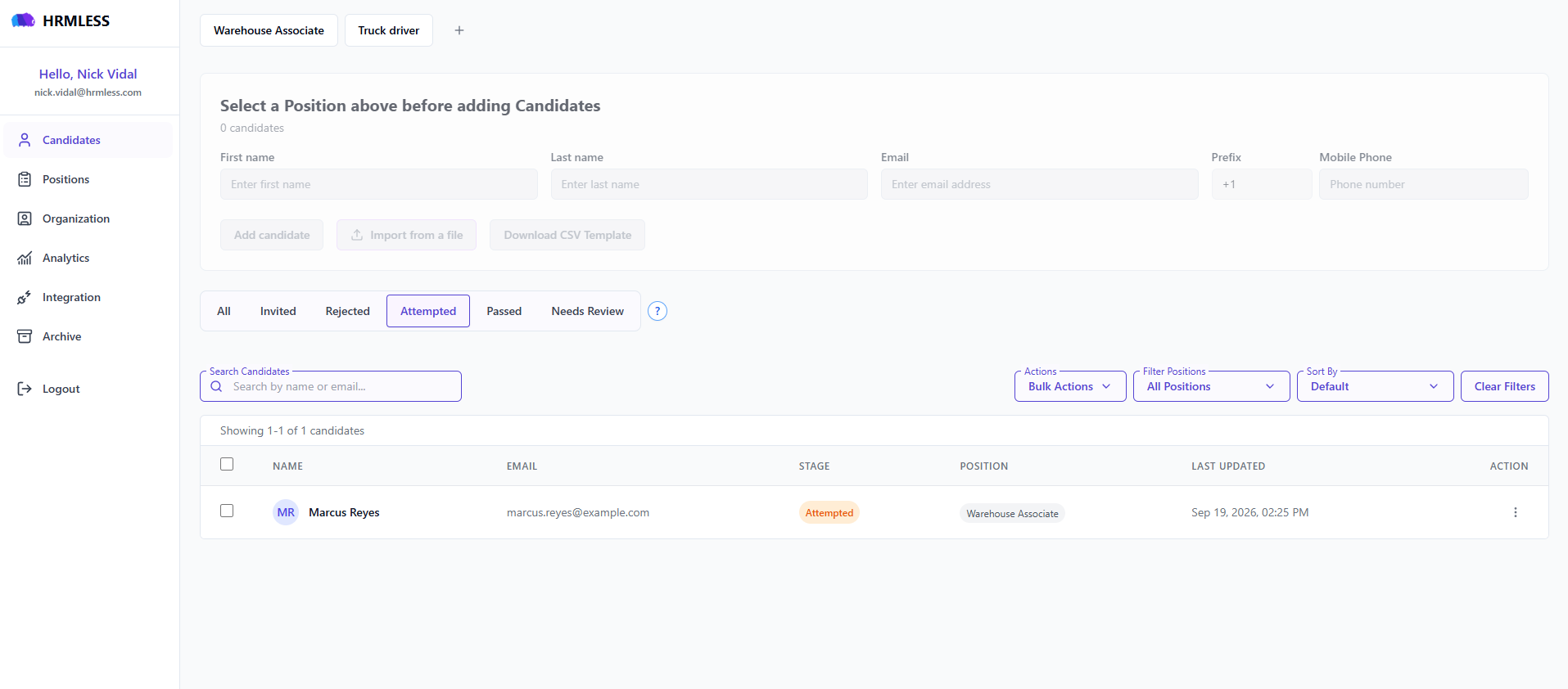
Somebody in Attempted was willing to be interviewed and did not finish. For high-volume hiring that is usually your best remaining group — far better than people who never started.
If a lot of people land here on one position, the interview is probably too long. Try fewer questions.
What moves people between tabs
Only finishing an interview moves someone on its own. Everything after that is you, or your ATS.
Code
Finding people

- Search Candidates finds someone by name or email
- Filter Positions narrows to one role
- Sort By starts on Default, and you can change it
- Clear Filters appears once a filter is on, and resets everything
Bulk Actions lets you act on several people at once.

Common questions
Someone finished but is not in Passed. Are they rejected? No. They scored below your minimum and are flagged so you can look. Rejecting is a separate thing you do on purpose.
Why is someone stuck on Invited? They have not started. Check their email and mobile number are right.
Can I change a status by hand? You can reject someone, and you can archive them. Invited, Attempted and Passed reflect what actually happened in the interview.