Billing and Plans
Your plan, your card details and your invoices.
Where it is
Organization → Products & Subscriptions.
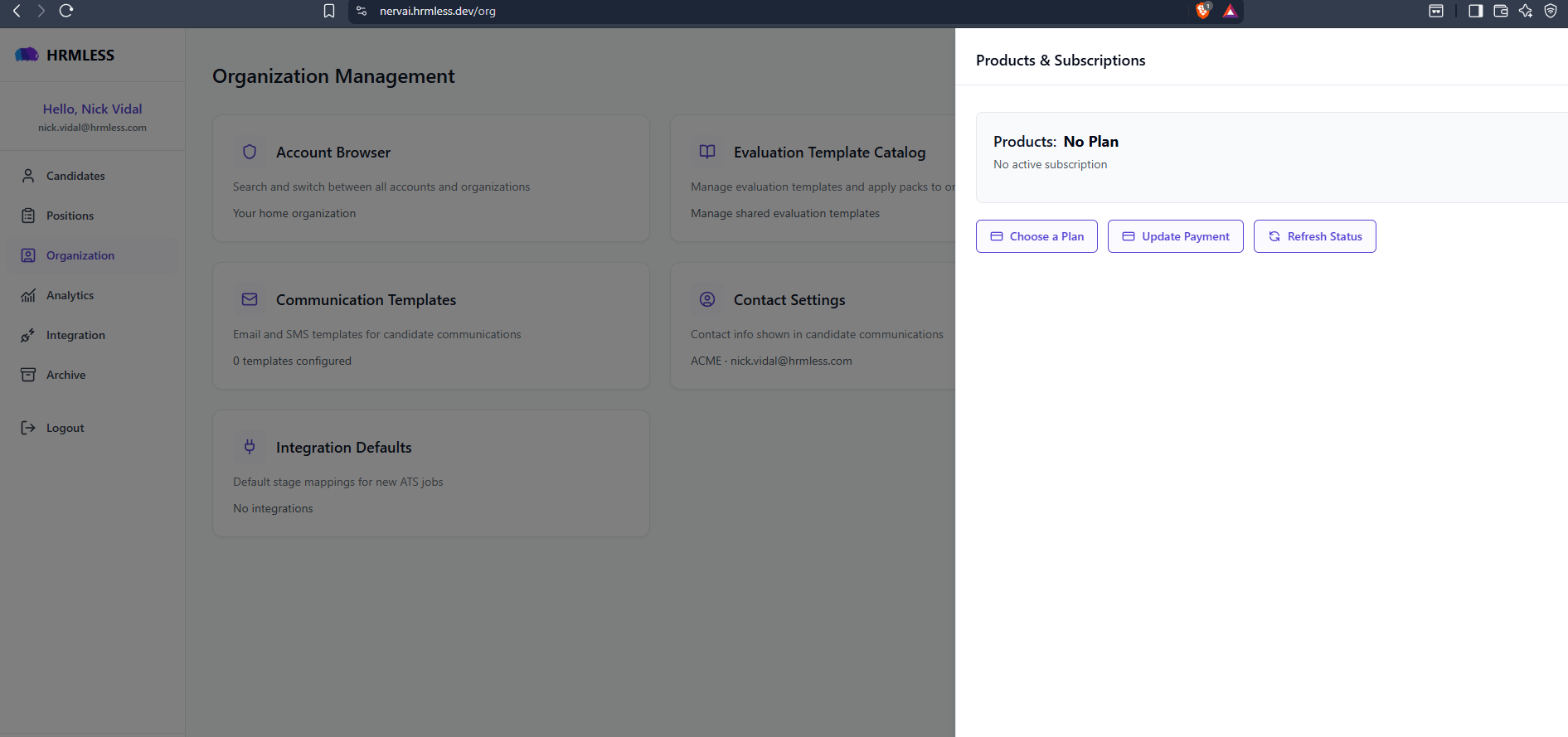
Three buttons, whatever state you are in:
- Choose a Plan — pick a plan, or move to a different one
- Update Payment — change the card on file
- Refresh Status — re-check with our payment provider after a change
If it says No Plan / No active subscription, you do not have a live subscription. That is what a lapsed account looks like, and Choose a Plan is how you fix it.
Changing plan
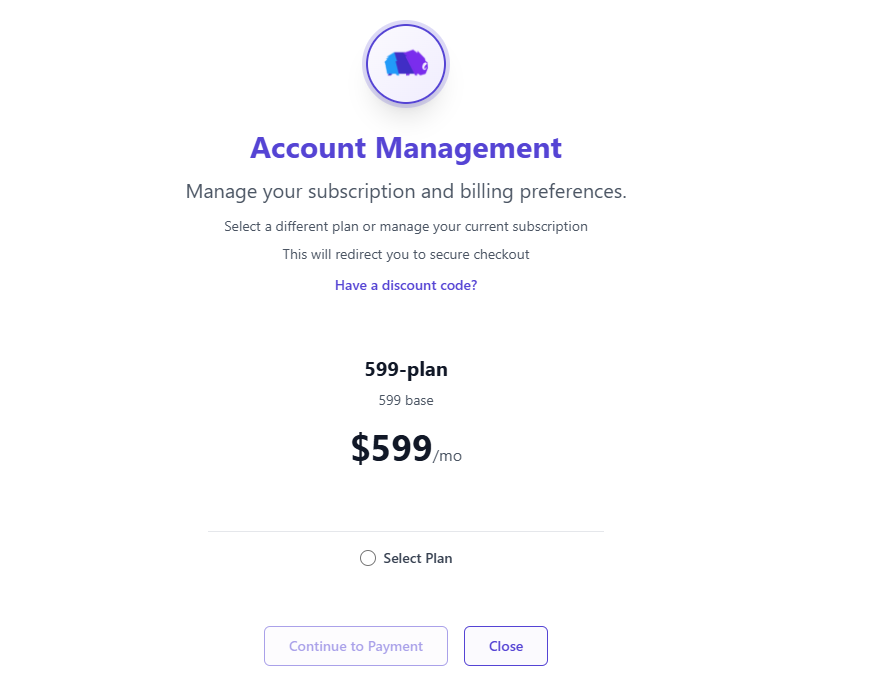
Select the plan you want, then Continue to Payment. Payment happens on a secure checkout page, so your card details are entered there rather than in HRMLESS.
Got a discount code? Have a discount code? takes it before you pay.
Updating your card
Update Payment takes you to the same secure page to change the card on file.
Worth doing before it expires. A failed payment eventually locks the account, and the fix is slower than the prevention.
Finding an invoice
Invoices are available from the same panel. Pull them from there rather than asking us — it is faster and you get the PDF.
If your account gets locked
If HRMLESS says you need an active subscription, your plan has lapsed or a payment failed. Updating the card from this panel is normally enough to get going again.
One thing to know: if you close the checkout page part-way through the very first sign-up, your account exists but has no plan attached, and there is no way to fix that yourself. Contact us and we will sort it out.
Common questions
When am I billed? On your plan's billing cycle. Your next date is shown on this panel.
Can I cancel? Yes, from the same panel.
Who can see billing? It is under Organization, along with the rest of your company settings.