
Candidate Messages
The emails and texts your candidates receive — the invitation and the reminders.
HRMLESS ships sensible defaults, so you do not have to touch any of this to get started. Change them when you want the wording to sound like you.
Where they live
Two places, and they do different jobs:
- Organization → Communication Templates — your defaults, used everywhere
- On a position → Candidate Communications — overrides for that one role
A position says Using HRMLESS defaults until you change something on it.
The six messages
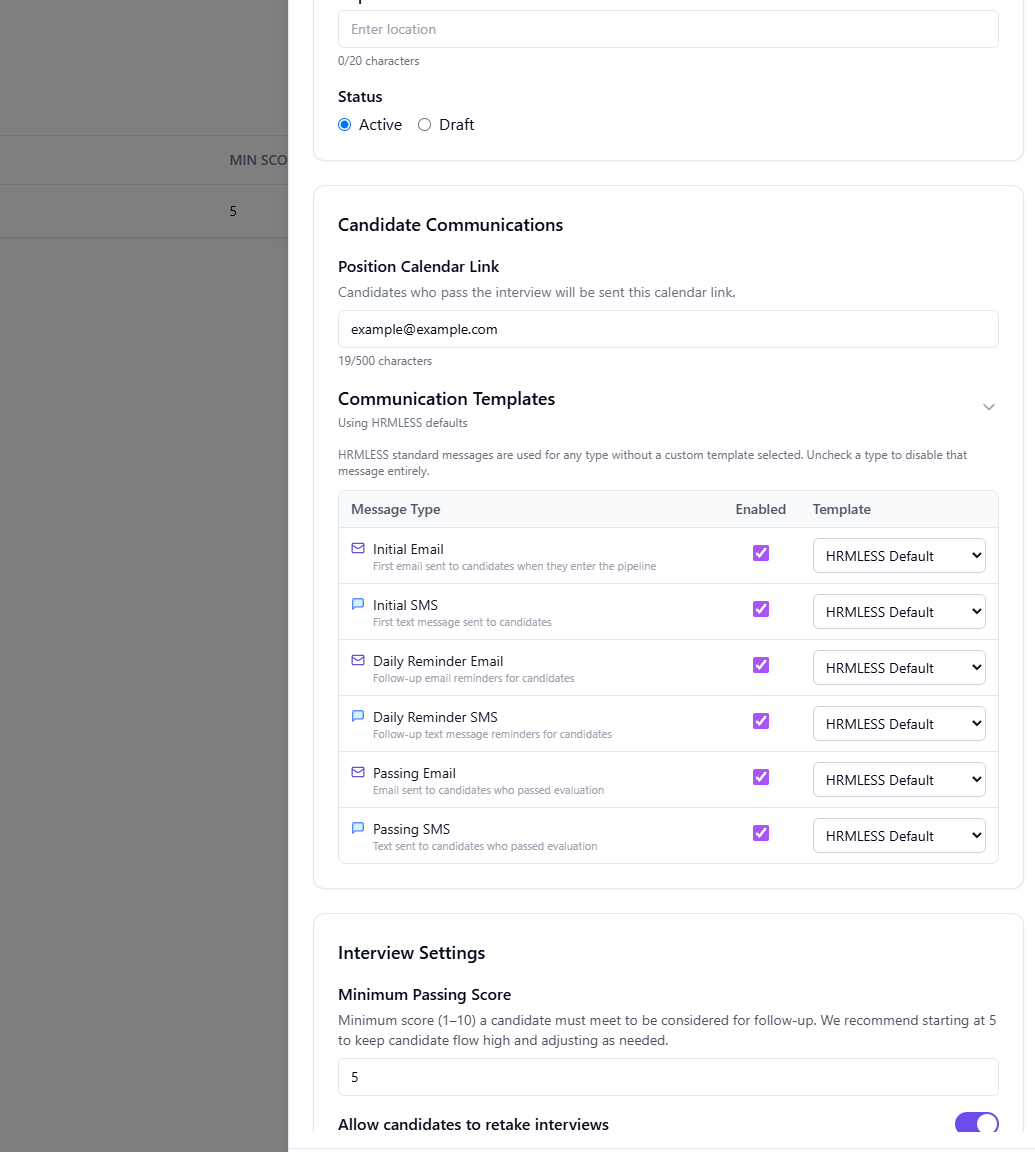
| Message | When it goes out |
|---|---|
| Initial Email | First email, when a candidate enters the pipeline |
| Initial SMS | First text message to the candidate |
| Daily Reminder Email | Follow-up email reminders |
| Daily Reminder SMS | Follow-up text reminders |
| Passing Email | Email to candidates who passed |
| Passing SMS | Text to candidates who passed |
Each row has an Enabled tick box and a Template dropdown.
- Leave the template as
HRMLESS Defaultand our standard wording is used. - Pick your own template to replace the wording for that one message.
- Untick Enabled and that message is not sent at all.
The reminders are daily. A candidate who has not started will hear from you every day until they do. Worth thinking about before you switch them on for a large batch — and worth switching off if you would rather chase people yourself.
Writing your own template
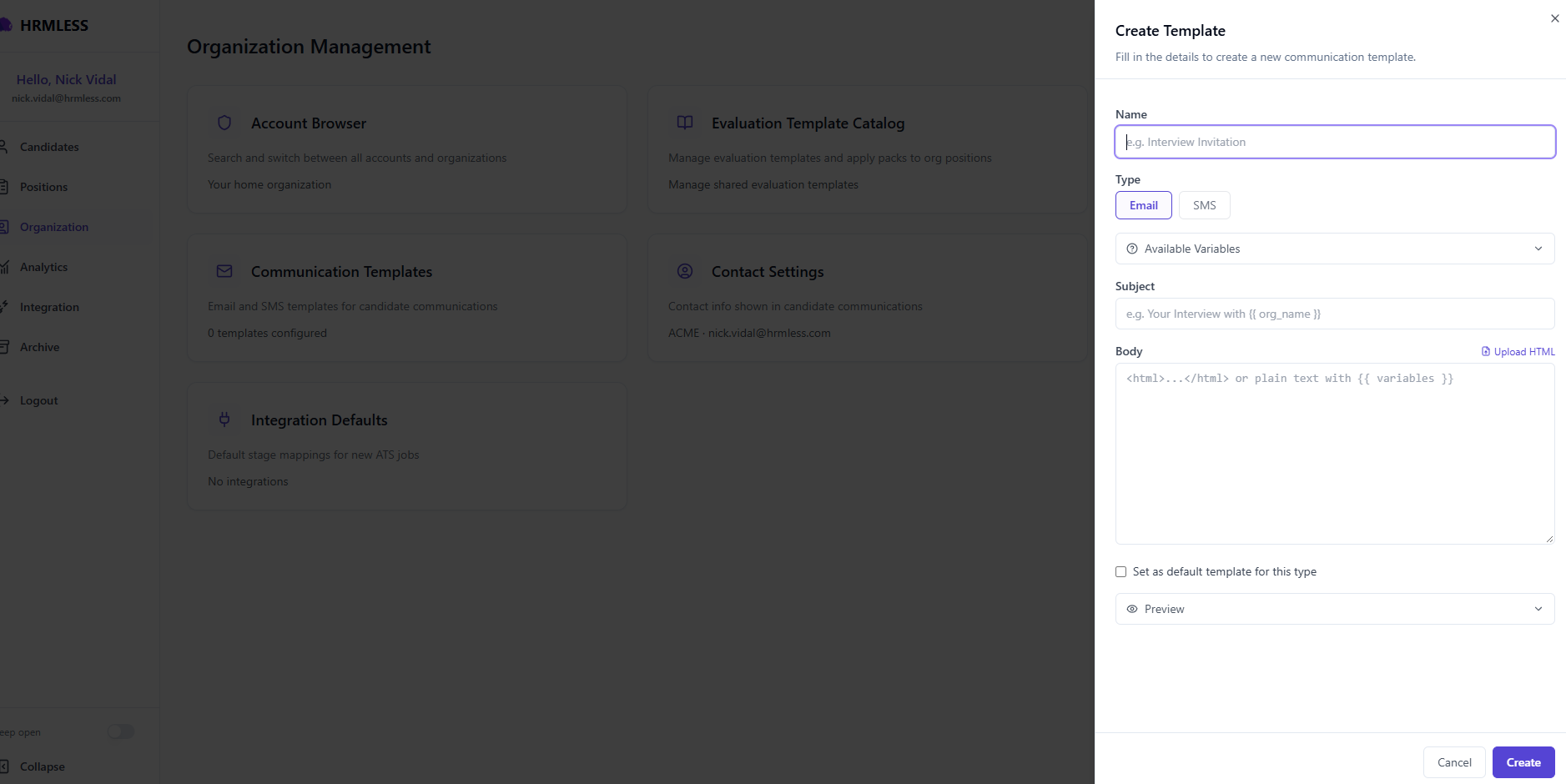
Give it a Name, pick Email or SMS, then write the Subject and Body.
- Available Variables lists the placeholders you can drop in, written as
{{ like_this }}— so a subject can read "Your Interview with {{ org_name }}" and come out personalised. - Upload HTML takes a designed email if you have one.
- Preview shows the message with real values filled in. Use it. A stray variable name is obvious in the preview and invisible in the editor.
- Set as default template for this type makes it the one used everywhere, rather than picking it per position.
Writing messages people actually open
The invitation matters more than anything else in HRMLESS. If it does not get opened, nothing downstream happens. A few things that help:
- Say who you are in the first line. People get a lot of recruiting spam. Your company name early is the difference between opened and deleted.
- Say how long it takes. "About ten minutes" removes the main reason people put it off.
- Say what it is. "A short interview you can do from your phone" is clearer than "complete your application".
- Keep the text message short. It is a text. One or two lines and the link.
If candidates are not starting
Check your Completion Rate on the Analytics page. If people are not starting at all — as opposed to starting and giving up — the invitation is usually the thing to change, not the interview.
Common questions
Do I need to set these up before adding candidates? No. The defaults work. Change them when you want to.
If I change a position's messages, does it affect other positions? No. Position messages only apply to that position. Change the ones under Organization to affect everything.
Do candidates get both a text and an email? Yes, both, for the invitation.