
Organization Settings
Your company details, the messages your candidates get, and your billing. All under Organization in the menu.
| Card | What it is for |
|---|---|
| Organization Settings | Your default calendar link and company-wide preferences |
| Contact Settings | The contact details candidates see in their messages |
| Communication Templates | The wording of the emails and texts candidates get |
| Products & Subscriptions | Your plan, billing details and invoices |
| Integration Defaults | Default stage mappings for new ATS jobs |
Fill in Contact Settings first
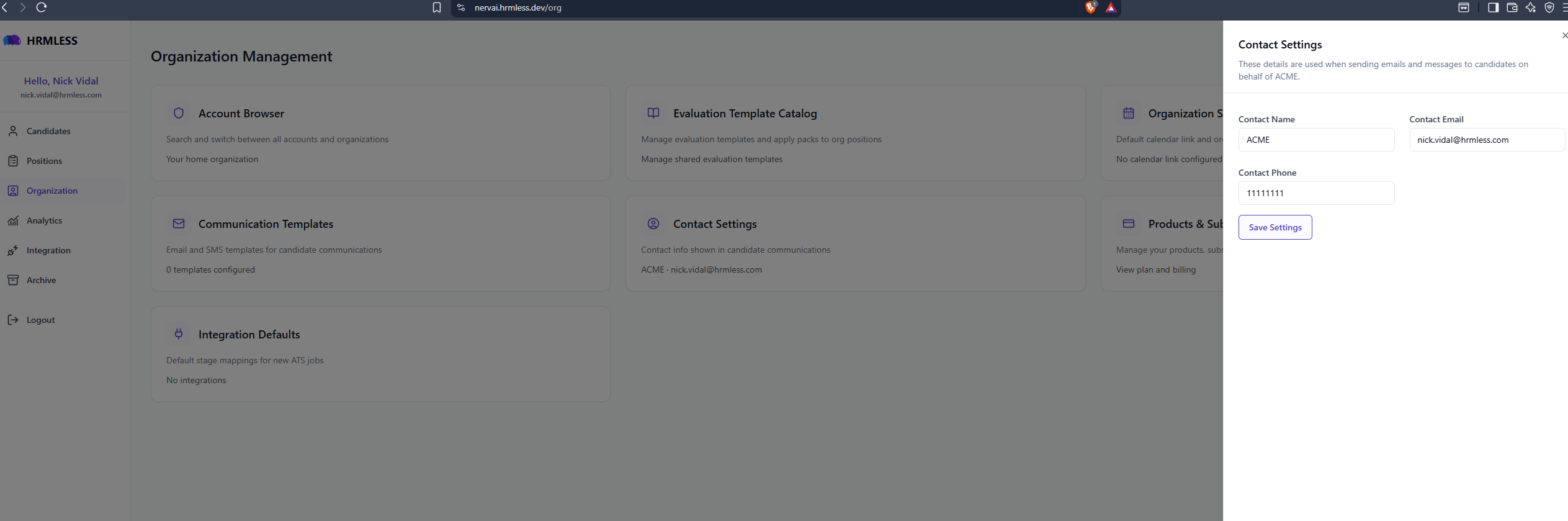
This is the name, email and phone number your candidates see when HRMLESS contacts them on your behalf.
Use details somebody actually monitors. Applicants reply to these, and a message that looks like it came from nowhere gets ignored.
Add a calendar link
Under Organization Settings. If you add one, candidates can book time with you directly.
You can also set a different link per position, which is useful when different roles are handled by different people. See Create a position.
Common questions
Do I have to fill all of this in? No, but Contact Settings is worth doing properly — it changes what your applicants see.
Where do I change my own email or password? Not here — this page is company settings. Your own login lives with your name: click it at the top of the left-hand menu.
What are Integration Defaults for? When your ATS creates a new job, these decide which stages HRMLESS uses for it by default. Only relevant if you have connected an ATS.