
Review a Candidate
Every score comes with the evidence behind it. This is how to read one.
Open the candidate
Go to Candidates and click their row.
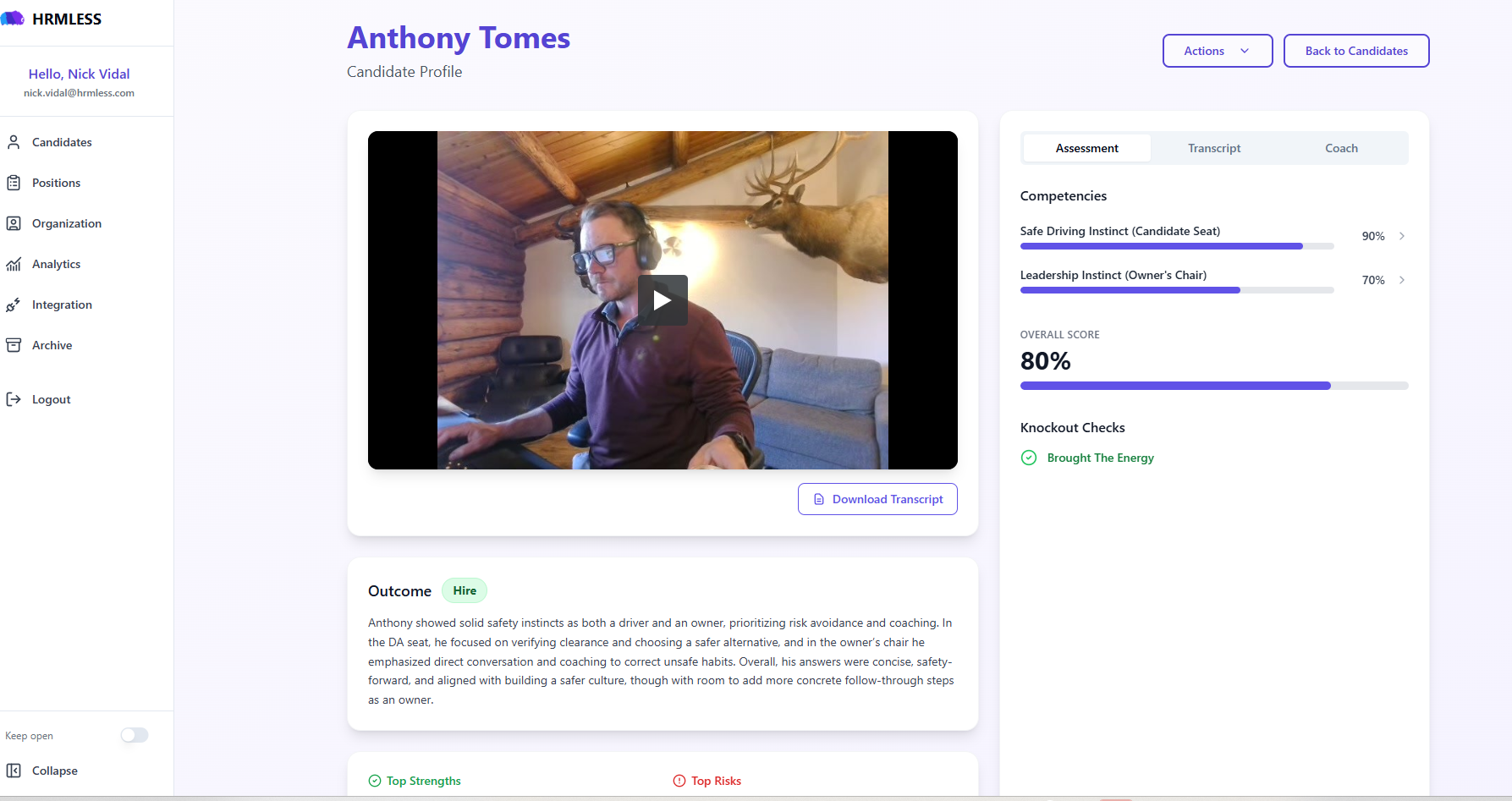
Two columns. The interview itself on the left, the assessment on the right.
The assessment, on the right
Three tabs: Assessment, Transcript and Coach.
Assessment is where you start:
- Competencies — each one the position measured, scored as a percentage. Click the arrow on a row to see what drove that particular number.
- Overall Score — the competencies combined.
- Knockout Checks — a green tick means they met a hard requirement. This is where a knockout question shows its result.
A candidate flagged for a person to look at is marked Review Required.
The outcome, on the left
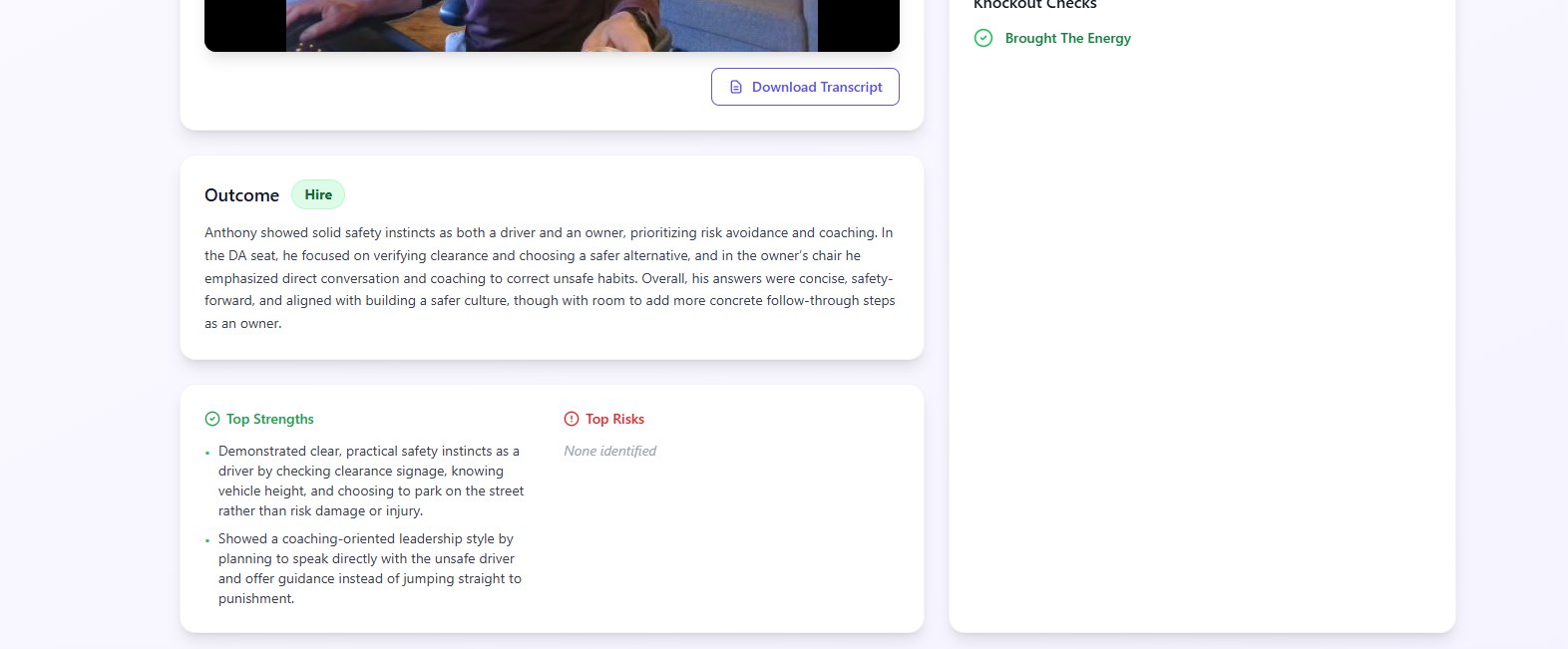
Outcome gives you a recommendation — Hire, for instance — and a few sentences explaining it in plain language.
Top Strengths and Top Risks pull out the specifics underneath. Risks often read None identified, which is a real answer rather than a blank.
Read the outcome, then check it. The recommendation is the conclusion; the transcript is how you decide whether you agree.
The transcript
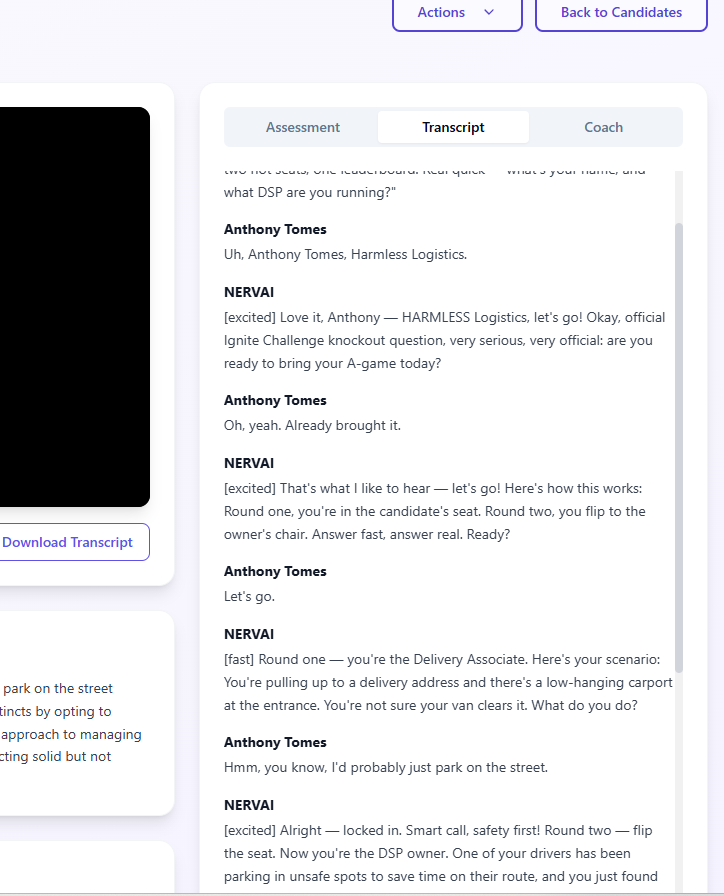
The whole conversation, turn by turn. Your candidate and NERVAI, the interviewer.
You will see markers like [excited] or [fast] on the interviewer's lines —
that is the tone it used, not something the candidate said.
This is the single most useful habit for anyone using HRMLESS. If a score looks surprising, the transcript almost always explains it in a sentence or two. Download Transcript saves a copy if you need it in a file.
Watching it back
The player on the left plays the interview. A transcript will not tell you whether somebody sounded confident, hesitant or rehearsed.
If the position had video recording turned off, the player is replaced by No Video Available — everything else stays, so you still get the assessment, the scores and the full transcript. The same message appears for a candidate who has not been interviewed yet, where there is genuinely nothing to play.
Passing or rejecting
A candidate in Needs Review has Pass and Reject actions. That is how you clear the queue, and it is the point at which a person, not a score, makes the call.
Until you press one of those, they sit outside your Avg. Score and your status breakdown.
Common questions
The score looks wrong. What do I do? Read the transcript. Either the interview shows something the assessment under-weighted — in which case go with your own judgement — or the position's questions need adjusting for future candidates. Both are fine; the point is that the evidence is there to check.
What is the Coach tab? Coaching notes drawn from the interview. Useful for the follow-up conversation rather than for the hire decision itself.
Does the candidate know I looked? No. Nothing you do on this page reaches them.
Why does this page look different for some candidates? A candidate who has not been interviewed yet has nothing to assess, so you get a simpler view with their contact details and not much else. The full assessment appears once their interview has been scored.